

hCare PACS
ARCHIVE AND MEDICAL IMAGE MANAGEMENT

Streamlines flows, accelerates diagnostics,
and connects teams anywhere

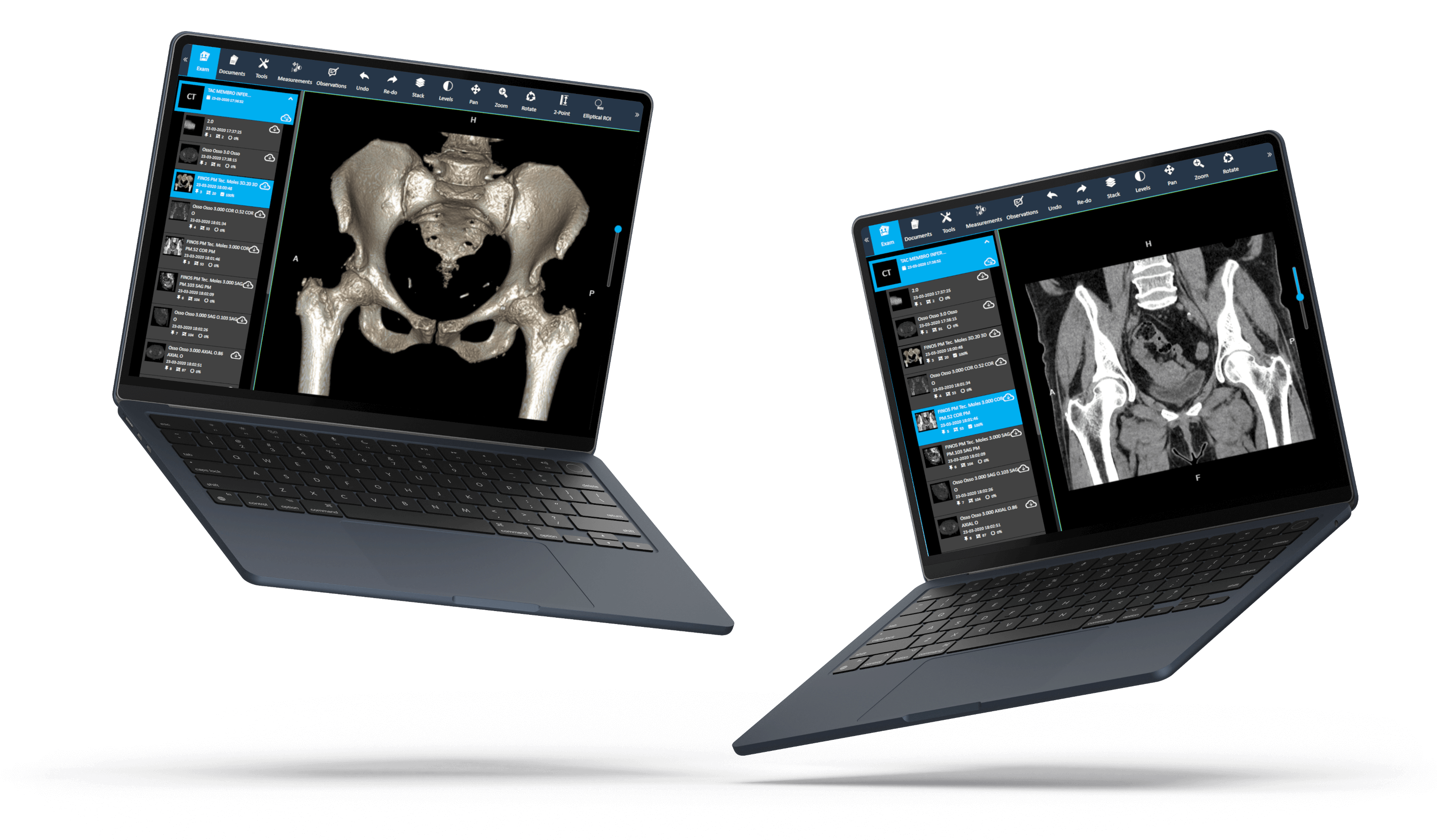
hCare PACS offers an intuitive interface, secure remote access, and advanced diagnostic tools, adapting to any clinical flow, from small clinics to hospitals.

FEATURES

Key Benefits

HCARE

Exam Management

Visualization of patients, exams, series and images.
Controlled data erasure with security warnings.
Full support for DICOMDIR.

HCARE

Export and Share

Export of images, series or complete studies.
Temporary links for online viewing.
Per-user permissions control.
Secure sharing with external doctors.
Supported formats: DICOM, JPEG, PNG.
Creation of DICOMDIR packages.
Built-in anonymization.

HCARE

Multiple Viewers Available

hCare viewer.
hCare viewer lite.
hCare viewer advanced.
hCare viewer cardio.

HCARE

Reports and Templates

Templates by modality.
Templates per user.
Export and sharing.

HCARE

Administration and Security

Profiles with advanced permissions.
Storage management, AE Titles and backups.
Real-time monitoring.
Data encryption.
Activity logs.
Access policies.

HCARE

Advanced Visualization

3D, MPR, MIP.
Series synchronization.
Multi-monitor support.
Measurement and annotation tools.

HCARE

Diagnostic Experience

Fast Window/Level.
Zoom and fluid pan.
Configurable shortcuts.
Comparison with previous exams.

HCARE

Measurement and Segmentation Tools

Line, angle and Cobb angle.
Areas, Ellipses and Volumes.
Difference in height, ROI (Region of Interest) and CTR.
Flat Foot.
Labeling of the spine and angle of the vertebra.
VTI.
And many other modality-specific tools.

HCARE

Integrated Communication

Creation of audio files.
Integrated chat linked to the exam for communication between teams.
COMPATIBILITY

Supported modalities

The software is compatible with all standard DICOM modalities and imaging equipment from leading medical device manufacturers, including GE Healthcare, Siemens Healthineers, Philips Healthcare, Canon Medical, and Fujifilm. It is fully compatible with the DICOM 3.0 standard and works with both legacy and modern imaging equipment.

hCare PACS

CT | CT Scan

Full support for CT, including multislice datasets.

X-Ray | Radiografia

CR and DR images from all manufacturers.

Mammography | Tomosynthesis

Full-field mammography and DBT (Digital Breast Tomosynthesis).

PET | Nuclear Medicine

PET, PET-CT and SPECT imaging studies.

MRI | Magnetic Resonance Imaging

RMI sequences with proper series organization.

Ultrasounds

2D and 3D ultrasounds including videos.

* hCare PACS also supports dental radiographs, endoscopy, ophthalmology, cardiology, and other specialized imaging modalities.

SPECIFICATIONS

hCare PACS Technical Specifications

System Requirements

• Requirements may change between the frontend and the backend.
• Minimum of 16 GB of RAM recommended.
• SSD disk with at least 2 GB (depends on the client's exam volume).
• Additional storage (>= 100 GB).
• Network connection for DICOM communication.

DICOM Protocol

• DICOM C-STORE SCP/SCU for image transfers.
• DICOM query (C-FIND, C-MOVE, C-GET).
• Generation of DICOMDIR (DICOM Part 10).
• Support for all standard DICOM modalities.

Compatibilities

• Microsoft Windows 10/11 Pro (32/64 bits) (app version*).
• macOS (app version*).
• Browsers (web version*): Chrome, Edge, Firefox, Safari...
* Web visualization without installation and desktop application for demanding clinical environments.

Faqs

Frequently asked questions

Transform your medical imaging workflow.

What type of Institutions is it suitable for?

From small clinics to multisite hospitals, thanks to the scalable architecture, integrated VNA and configurable modules.

Both. It provides web visualization (without installation) and desktop applications for demanding clinical environments.

Yes, it supports multi-monitor configurations and per-user custom layouts.

Yes. Each user can set shortcuts, layouts, protocols, and display preferences in both PACS and viewers.

Integrates with RIS, EMR, HIS and external systems via DICOM (Store, Query/Retrieve, Worklist) and HL7 (ORM, ORU).

Yes. VNA allows you to store DICOM and non-DICOM files, ensuring centralized archiving.

Yes. It includes encryption, activity logs, access control, GDPR compliance and international standards.

DICOM, JPEG, PNG and DICOMDIR complete packages.

Yes. Through temporary links, controlled permissions and built-in anonymization.

Yes. Allows physical output of exams directly from PACS, with direct printing and recording of exams.